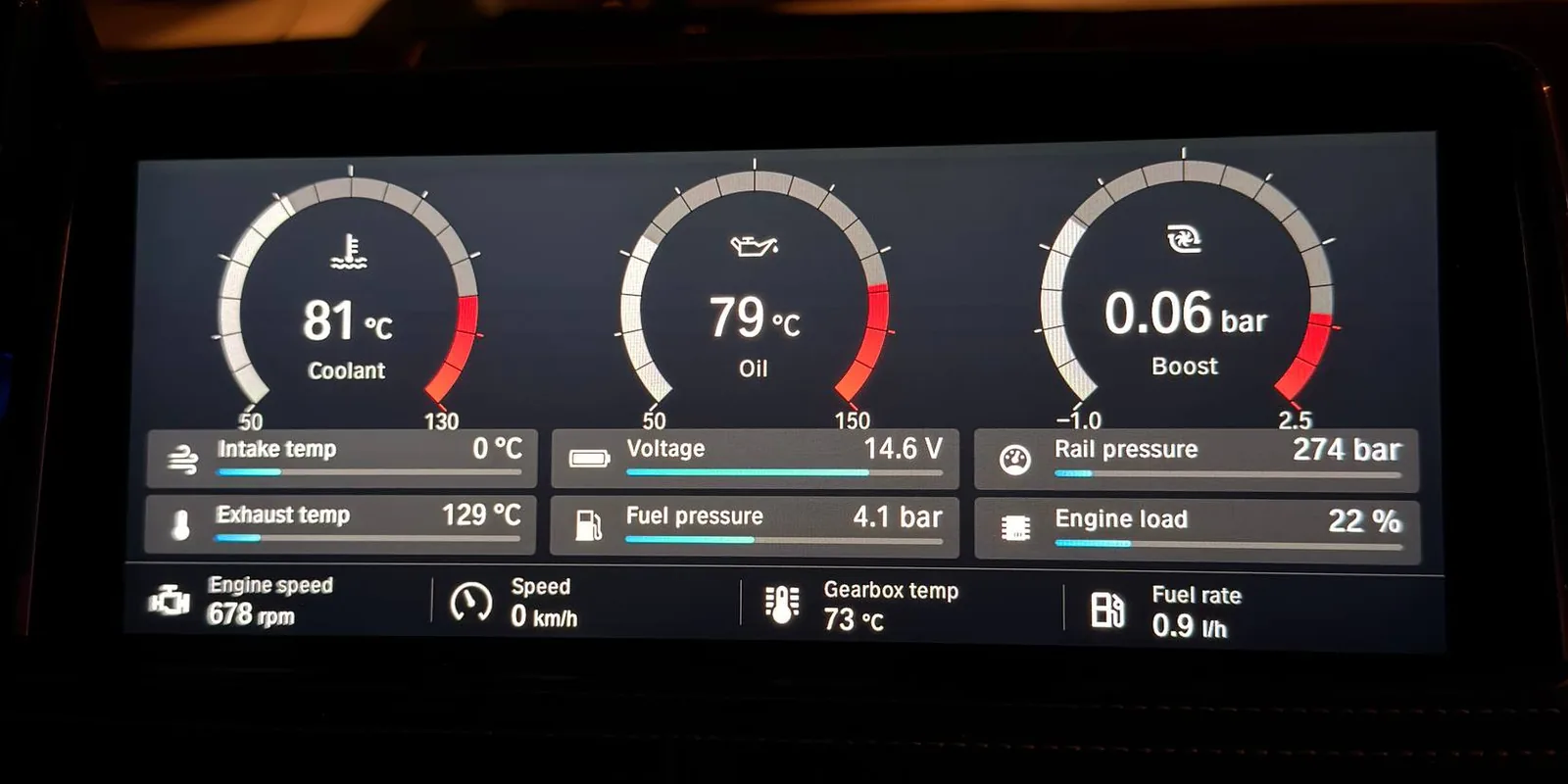
Standard
Three gauges with a red zone, six cards with bars and a row of values below. The most readings at once.
AvailableEarly access: tested on the F15 and F30, the firmware and engine lists are growing
Oil and coolant temperature, boost, rail pressure, engine load and RPM — right on the NBT Evo screen. No adapter in the OBD port, no phone and no extra gauges on the dashboard.
An item in the car menu, next to the built-in screens. Nothing to plug in.
Readings come from the engine and gearbox control units while the screen is open. Close it and polling stops.
One short press and you are back in the BMW menu you came from.
Thirteen slots in the Standard theme: three gauges, six cards and a bottom row. Each slot takes a reading of your choice from those your car provides.
Numbers are from the photo above: a diesel idling in winter. Units are as on the screen. The set of readings depends on the engine.
For these engines Gauges also reads the engine control unit; which readings you get depends on the engine. A profile not yet tested in a car works the same way, but the screen marks it "Profile not verified".
| Engine | Fuel | Engine control unit |
|---|---|---|
| N13 | Petrol |
|
| N20 | Petrol |
|
| N26 | Petrol |
|
| N55 | Petrol |
|
| S55 | Petrol |
|
| N63TU | Petrol |
|
| S63TU | Petrol |
|
| B38 | Petrol |
|
| B48 | Petrol |
|
| B58 | Petrol |
|
| S63TU4 | Petrol |
|
| B37 | Diesel |
|
| N47 | Diesel |
|
| N57 | Diesel |
|
| B47 | Diesel |
|
| B57 | Diesel |
|
If your engine is not on the list, Gauges shows only the general vehicle data — RPM, speed, coolant temperature and voltage. The engine code is in the car documents or in a VIN decoder.
List updated November 24, 2026
Pick a theme in the screen settings; each has its own set of slots.
Three gauges with a red zone, six cards with bars and a row of values below. The most readings at once.
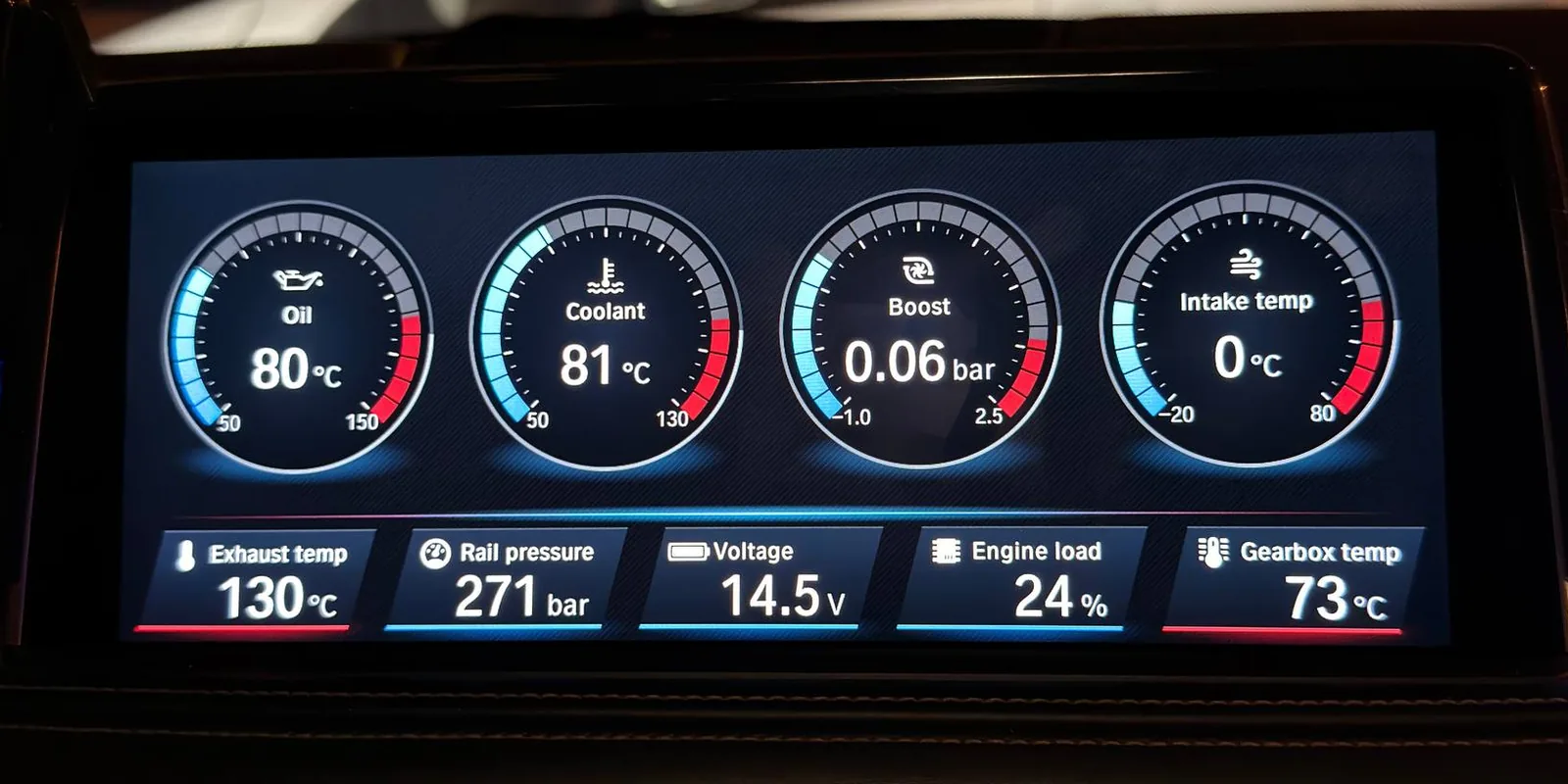
Four round dials with a segmented arc and five slanted tiles — like track telemetry.
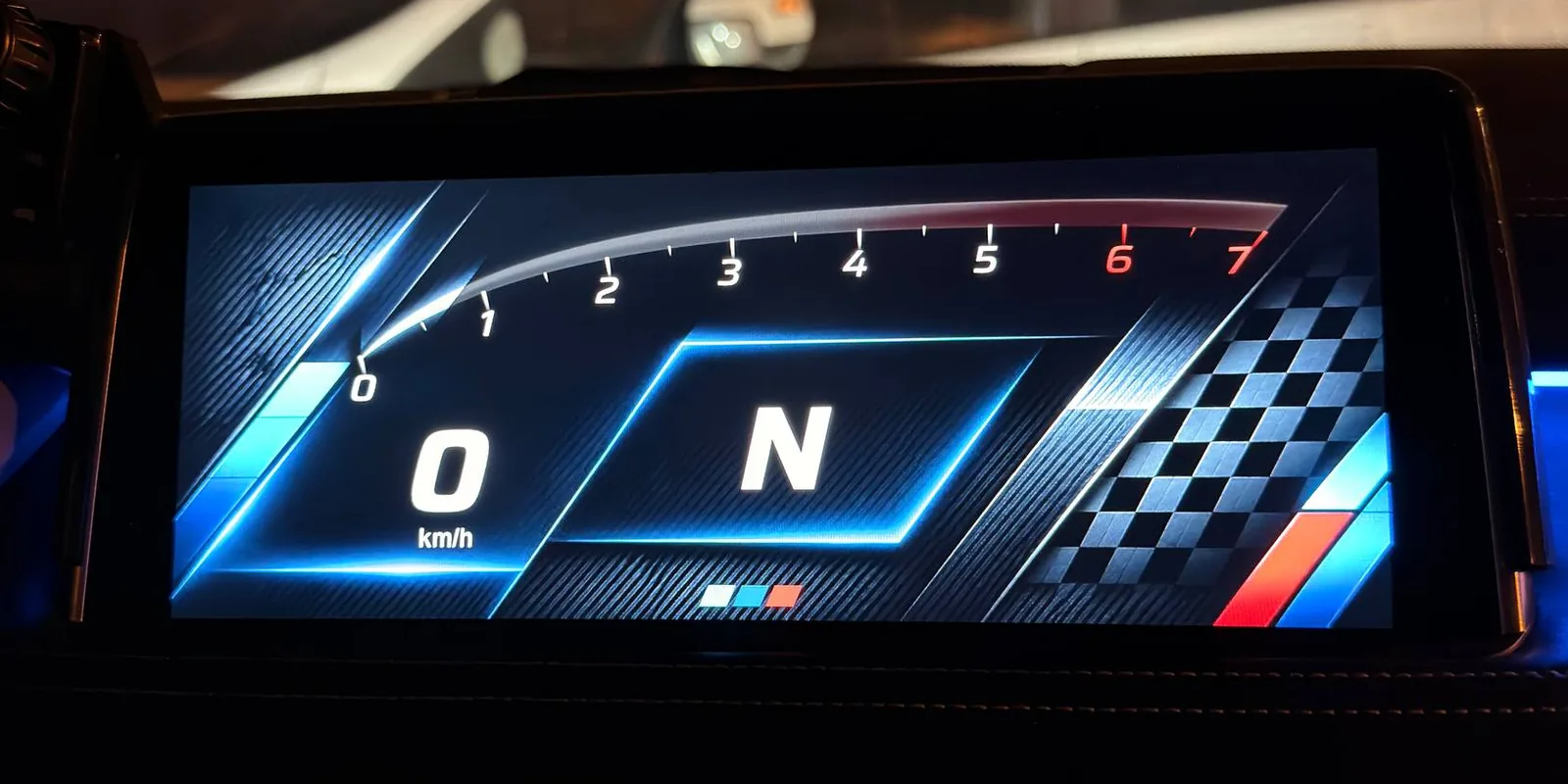
A full-width RPM bar, large speed and gear. Made to be read at a glance.
Speedometer and tachometer in chrome rings with needles, and five cards with bars.
Turn the knob to move between sections, press to select, tilt to reach the side panel and back. Touching the screen works the same way.
Every slot of a theme takes a reading of your choice from those your car provides. One line in the settings restores the defaults.
Gauges without the side panel and title — across the whole display. A short BACK press brings the normal view back.
Shift into reverse and the screen gives way to the camera at once, then comes back.
Gauges reads values and writes nothing to the car’s control units: no coding, no engine settings changed, no faults cleared. Polling runs only while the screen is open.