Wayglass — new things your NBT Evo BMW can do
Your iPhone's navigation guidance on the HUD and instrument cluster, Android Auto on the built-in screen and the car's fault codes — no adapters: installed on your head unit with the installer.
Projects

CarPlay → HUD
AvailableYour iPhone's navigation guidance on the head-up display and the instrument cluster — just like BMW's own navigation.
- Arrow, distance, street, approach bar and lanes.
- Google Maps, Apple Maps, Yandex Navigator, 2GIS.
- Settings in the "My Vehicle" menu.
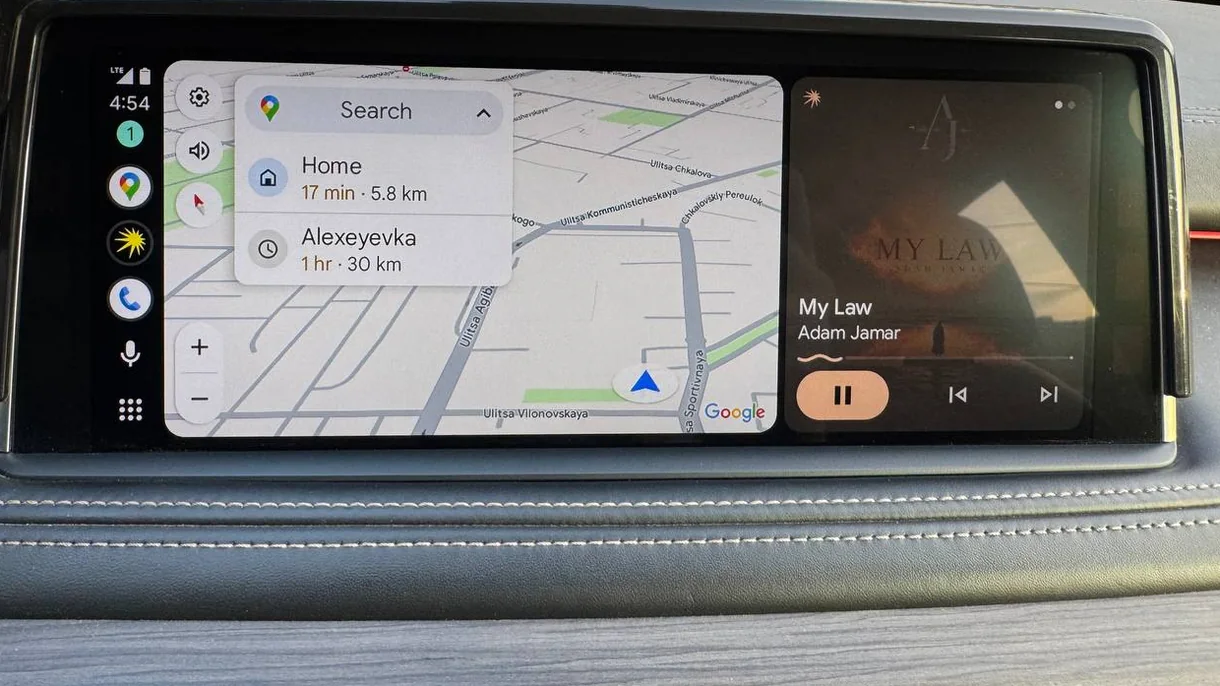
Android Auto on NBT Evo
AvailableWireless Android Auto across the full built-in screen — no adapters, no computer in the car.
- Touch screen, iDrive controller and the BACK button.
- Sound through the BMW audio system, like a built-in source.
- Navigation guidance on the HUD and cluster.

Diagnostics on NBT Evo
AvailableYour car's fault codes right on the built-in screen — no laptop, no adapter in the OBD port.
- A list of control units and the number of faults in each.
- Code, status and a plain-language description of each fault.
- Descriptions are stored in the head unit — no internet needed.
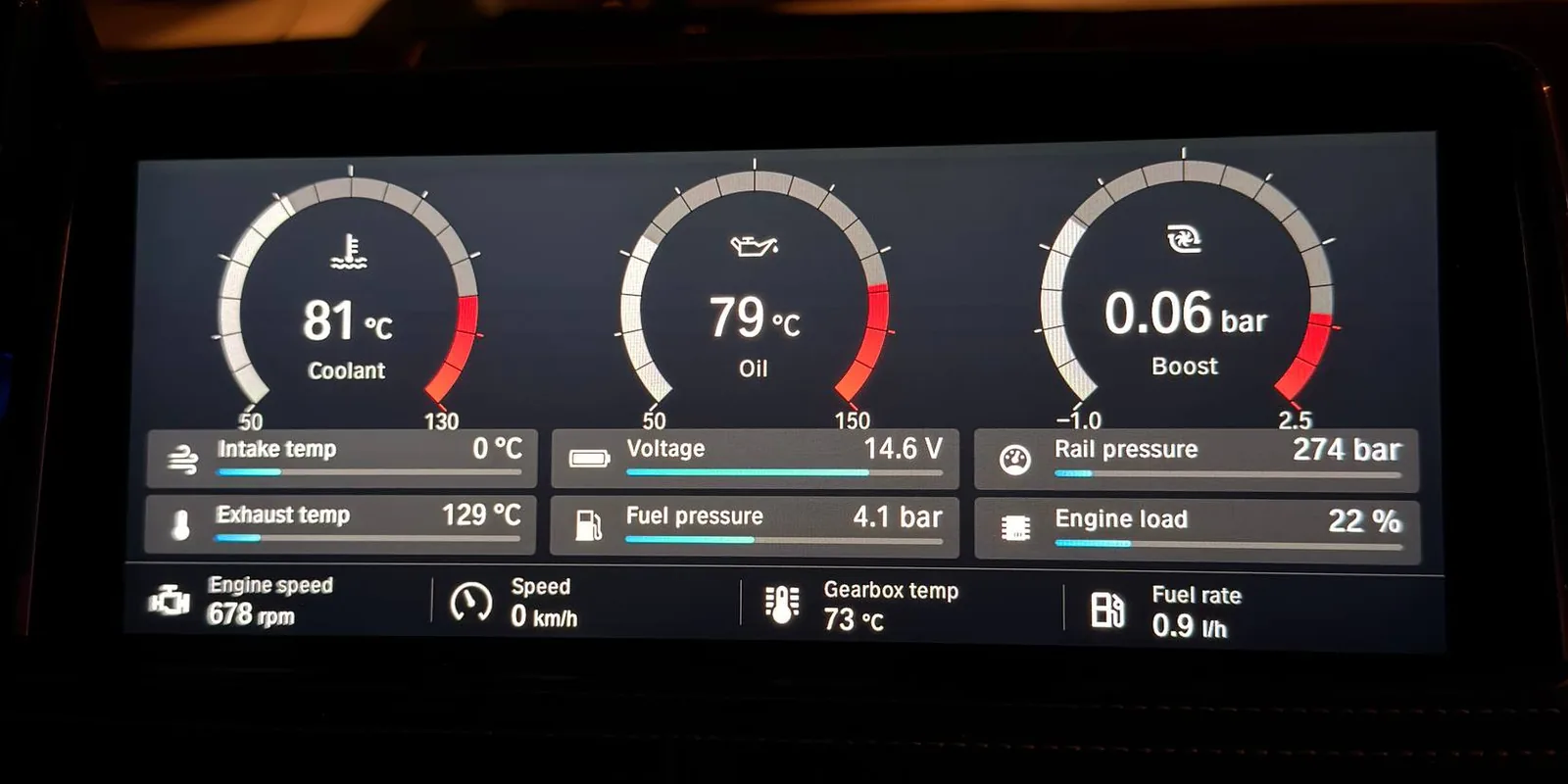
Gauges on NBT Evo
AvailableEngine temperatures, pressures and RPM on the built-in screen, in four themes to choose from.
- Gauges, cards and a bottom row of values.
- You choose what goes where.
- Controlled with the iDrive knob and by touch.

NBT Tools
AvailableA free menu of handy functions in "My Vehicle" — with any Wayglass product or on its own.
- Your own vehicle picture instead of the standard one.
- Reboot the NBT from the menu.
- New tools arrive with updates.
And more
Smaller features for the head unit — installed with the same installer.
Camera recording in a crash
Saves the surround-view camera footage at the moment of a crash.
PaidComing soon
Will it fit your car
- A BMW with the NBT Evo head unit and wireless CarPlay.
- The NBT Evo head unit is coded to this car's VIN: the VIN in the head unit matches the car's VIN. A head unit from another car has to be recoded first, otherwise installation will not go ahead.
- A supported head unit software version — the installer checks it for you.
- For navigation guidance — a head-up display (HUD) or an instrument cluster with a display: digital or analog.
- An iPhone with a CarPlay navigation app. For Android Auto — an Android phone.
- The A4A_REMOTE_APPS head unit coding — for the Wayglass, Android Auto, Diagnostics, Gauges and NBT Tools menus on the car screen.
How to install
Download the installer
For macOS, Windows 10 or later, or Linux.
Connect your computer to the car
With an ENET cable to the OBD port. Switch the ignition on.
Click "Install"
The installer checks the head unit, installs Wayglass and tells you when to restart the head unit.
The same installer updates and removes Wayglass.
Download the installerCommon questions
What if something goes wrong during installation?
The installer only changes Wayglass files and checks the head unit before any change. If the connection drops, start it again: it finishes the installation or puts everything back as it was.
Can I remove Wayglass?
Yes, with the wayglass remove command of the installer. The head unit goes back to its factory behaviour.
Do I need a dealer, coding or E-Sys?
No. You only need a computer and an ENET cable.
What does the installation code look like and where do I enter it?
The code is 10 Latin letters and digits like XXXXX-XXXXX; some resellers give it with the WG- prefix (WG-XXXXX-XXXXX), which is the same code. Enter it in the installer after --code, with or without the prefix; case and dashes do not matter. It is not a BMW FSC or FI code.
Which cable do I need?
An ENET cable: OBD on one end, Ethernet on the other. It's the same cable used with E-Sys. If your computer has no Ethernet port, you'll need a USB to Ethernet adapter.